

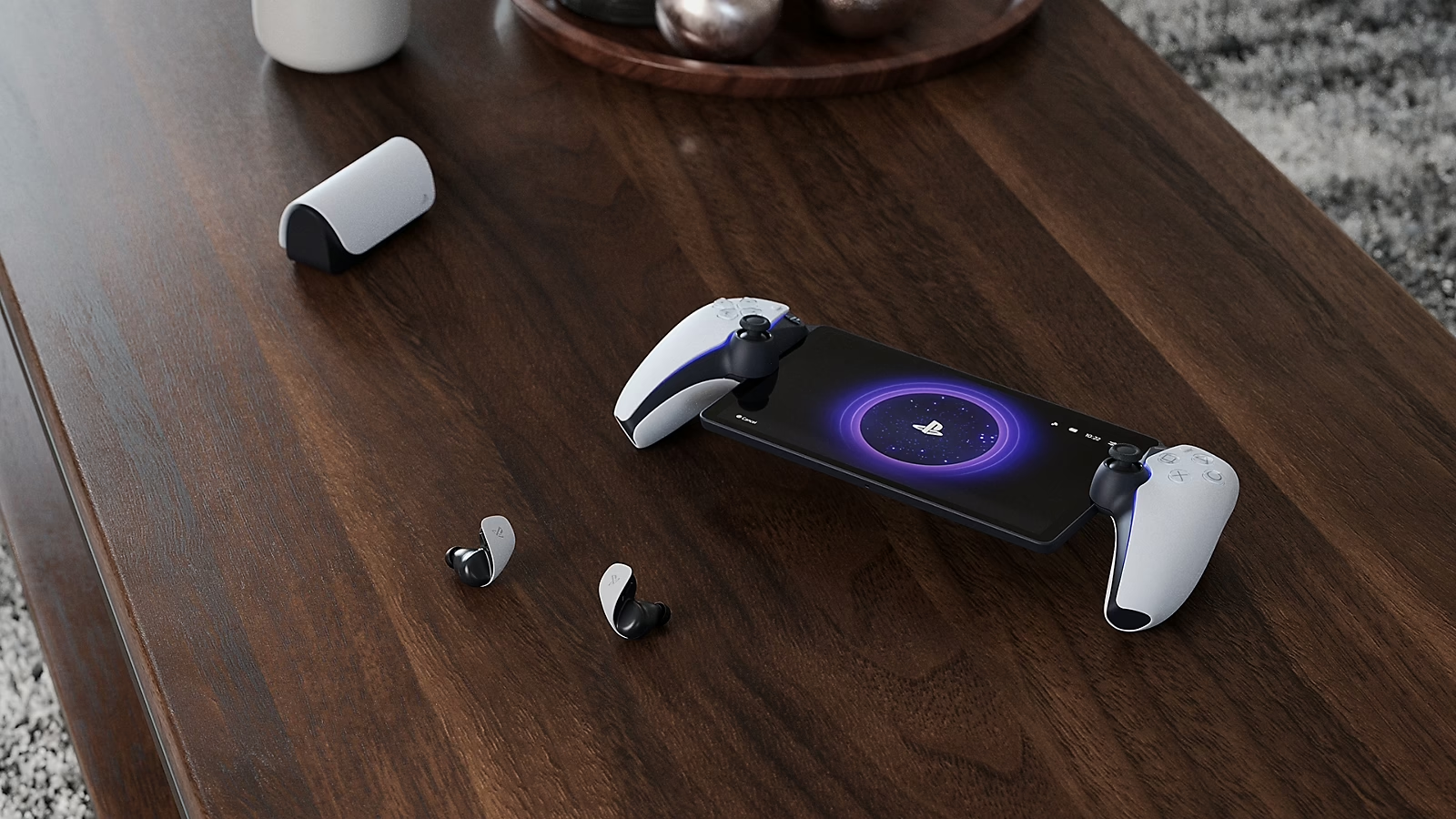
The PlayStation Portal is Sony’s answer to portable console streaming: a handheld-style controller with a built-in LCD screen that lets you play your PlayStation games over Wi-Fi from anywhere in your house (and, in supported setups, on mobile data). It isn’t a standalone gaming device — it’s essentially a specialised streaming terminal — but if you’ve got a PS5 and want freedom from the TV without sacrificing performance, this is the most polished way to do it right now.
Here’s how it actually works in real use — not just specs on paper.
Specs That Actually Matter
Australian units typically include:
- 8-inch 1080p LCD display
- DualSense-like triggers, bumpers, and adaptive feedback
- Wi-Fi 5/6 connectivity
- USB-C charging
- Headphone jack
- Streaming-only interface (no local installs)
- Compact, ergonomic form factor
This isn’t hardware built to run games locally — there’s no GPU or PlayStation OS in the Portal itself. Instead, it streams from your PS5 (via Remote Play) with minimal input lag and high visual fidelity as long as your network can keep up.
Think of it as a high-end remote screen and controller in one.

What It’s Actually Good At
Streaming Performance:
This is where the Portal earns its keep. When connected to a strong Wi-Fi network, PS5 games stream with minimal latency, crisp visuals, and solid frame rates — everything feels tight and responsive. For couch-to-backyard transitions, bedroom play sessions, or late-night gaming when someone else wants the TV, this is very convenient.
Performance depends heavily on your network, though. A fast Wi-Fi 6 setup (or a very strong 5) makes all the difference — weaker signals or congested networks can introduce blur, stutter, or brief disconnects.
Controller Comfort:
The physical layout is instantly familiar if you’ve used a DualSense before. Buttons feel responsive, the triggers offer adaptive resistance, and the grip is comfortable for longer sessions. It’s not quite as refined as a standalone DualSense in the hand, but it’s close enough that most players will feel at home immediately.
Display:
The screen is bright, colourful, and sharp at 1080p. It’s not OLED-level contrast, but for a portable streaming display it’s very good. Colours pop, text is readable, and motion stays smooth. Even fast action games look clear without noticeable blur.
If you’re used to mirroring your console to a phone or tablet, this feels like a significant step up.
Everyday Use and Practicality
Setup:
Getting started is easy — sync with your PS5, connect to Wi-Fi, and you’re ready to stream. Remote Play is straightforward, and switching between Portal and your TV is near instant.
Portability:
Yes, it’s portable — but within limits. This isn’t a mobile gaming powerhouse you take on plane rides or use in café Wi-Fi. Strictly speaking, it works off a data connection if the PS5 is online and set up correctly, but your mileage will vary depending on speed and latency. For home use, it’s a breakout win. For serious on-the-go gaming, it’s more niche.
Battery Life:
Battery life falls in line with what you’d expect from a streaming handheld: enough for a solid session, but not marathon play all day. Stronger network usage and high screen brightness drain it faster. It’s best paired with casual sessions or quick play breaks.

Australian Pricing
In Australia, the PlayStation Portal sits at a premium price point compared to tablets or phones used for Remote Play.
It’s not cheap — but when you consider the integrated controls, dedicated experience, and optimization for PS5 streaming, it’s easier to justify if this use case is something you’ll utilise regularly.
Pros
- Excellent PS5 streaming performance on home Wi-Fi
- Familiar DualSense-style controls with adaptive feedback
- Bright, sharp 1080p display suited to gaming
- Easy setup and seamless switching from TV
Cons
- Not a standalone gaming device
- Heavily dependent on network strength
- Battery life is average for extended sessions
- Premium pricing for a streaming-only product
Final Verdict
The PlayStation Portal won’t replace a Switch, Steam Deck, or traditional handheld — it’s not designed to. But if you’re deeply invested in the PS5 ecosystem and want flexibility to play away from the living room without compromise, it delivers exactly that.
It feels polished, comfortable to use, and purpose-built for PS5 streaming in a way generic tablets just aren’t. Network quality is the biggest limiting factor, but on a capable Wi-Fi setup, this is the best way Sony has answered the “portable play” question — and it does so in style.
Highly recommended for PS5 owners who want flexible gaming spaces without sacrificing performance.
Check it out Here

